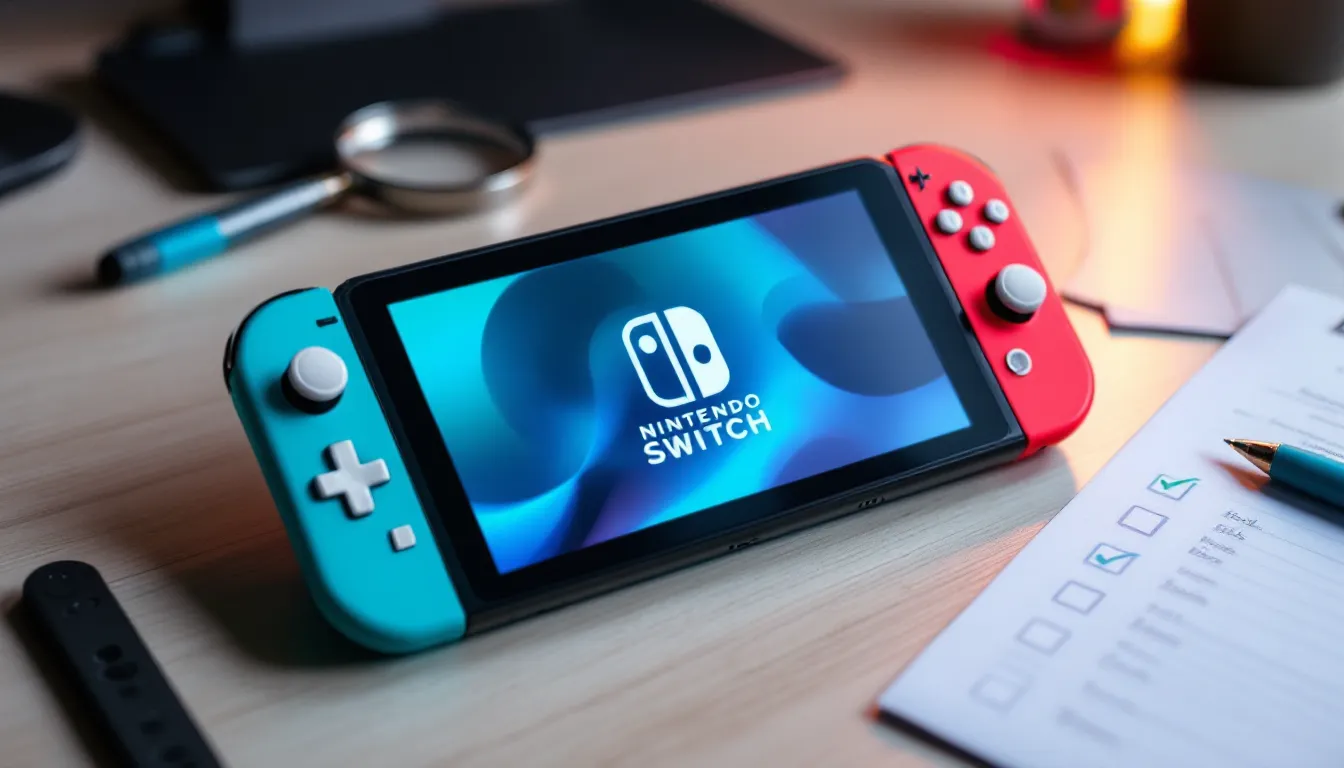
The Nintendo Switch Lite has been a staple for portable gaming since 2019, offering a lightweight, affordable entry point into Nintendo’s ecosystem. If you’re considering a refurbished model in 2026, you’re looking at serious value, but only if you know what to look for. A refurbished Nintendo Switch Lite can save you hundreds compared to retail pricing, but there’s real risk if you buy from the wrong source or miss warning signs during inspection. This guide breaks down everything you need to know: what refurbishment actually means, where to buy safely, which devices to avoid, and how to keep your purchase running strong for years.


Key Takeaways
- A refurbished Nintendo Switch Lite can save you 25–35% compared to retail pricing while delivering identical performance, with official units offering a 12-month limited warranty for peace of mind.
- Understanding refurbishment grades—Like New, Excellent, Good, and Fair—is essential, as they directly impact battery longevity and cosmetic condition rather than processing power or gameplay.
- Buy from official Nintendo channels or established marketplaces like Back Market, GameStop, or Decluttr to ensure buyer protection and reliable return policies; avoid unknown Amazon sellers and private listings with no recourse.
- Before purchasing, inspect the screen for dead pixels, test Joy-Cons for drift, verify battery health, and confirm proper documentation to catch potential issues within the warranty window.
- Protect your investment by adding a screen protector, case, and keeping the system updated to the latest firmware, which ensures security patches and can reveal hidden hardware defects.
What Is A Refurbished Nintendo Switch Lite?
A refurbished Nintendo Switch Lite isn’t some mystery box pulled from a warehouse. It’s a device that was originally sold new, then returned or traded in, sometimes barely used, sometimes heavily played, cleaned up, tested, and resold with some form of guarantee. The term covers a wide range of conditions, which is why understanding the specifics matters before dropping cash.
Understanding Refurbishment Grades and Conditions
Refurbishment grades vary wildly depending on the seller. Official Nintendo refurbished units fall into clear categories:
- Like New: Minimal use, appears brand new, may have minor cosmetic marks invisible to the naked eye. Typically the priciest refurbished tier.
- Excellent: Light use, no visible damage, fully functional with no performance issues. This is where most refurbished Switch Lites land.
- Good: Noticeable wear, scuffs, or minor dents on the chassis. Still fully functional, but looks lived-in. Often 20-30% cheaper than “Excellent.”
- Fair: Heavy cosmetic wear, possible scratches on the screen, but all hardware functional. Usually bottom-tier pricing but requires honest sellers.
Third-party refurbishers sometimes use their own grading systems, “Grade A,” “Grade B,” etc., which are less standardized. Always ask for photos of the actual unit you’re buying, not stock images. Condition grades mean nothing if you can’t verify them.
Official Nintendo Refurbished vs. Third-Party Options
Nintendo’s official refurbished store (through their website and select retailers) offers the strictest quality control. Every unit is inspected for defects, the battery is tested to specific thresholds, and you get a 12-month limited warranty. That’s the baseline for peace of mind.
Third-party refurbishers, companies like Decluttr, Back Market, or GameStop’s certified refurbished line, operate under different standards. Some are excellent and thorough. Others cut corners. The difference matters because you’re relying on their testing protocols, not Nintendo’s. Back Market, for instance, requires sellers to meet specific criteria and offers buyer protection, but the actual device quality depends on which seller fulfilled your order. GameStop’s refurbished hardware includes their 30-day return window, which is consumer-friendly but shorter than Nintendo’s warranty.
Why Choose A Refurbished Model Over New?
The obvious answer is money. But there’s more nuance worth understanding about why refurbished hardware has become a legitimate option in 2026.
Cost Savings and Budget Considerations
A brand new Nintendo Switch Lite retails for $199 in 2026. A refurbished “Excellent” condition unit typically sells for $129-$149, sometimes less. That’s a 25-35% discount for hardware that, functionally, is indistinguishable from new if it’s been properly restored.
For budget-conscious gamers, parents buying for kids, or anyone wanting a second device to test before committing to full Switch ownership, that gap justifies the refurbished route. You’re not sacrificing features or game library access, you’re just accepting cosmetic wear or past use.
The catch: that savings evaporates if the device fails and you’re out of warranty or dealing with a seller who won’t honor returns. This is why buying from reputable sources isn’t optional: it’s the entire point.
Environmental Impact and Sustainability
Electronics waste is a real problem. Globally, over 50 million tons of e-waste is generated annually, and only about 20% gets properly recycled. Buying refurbished keeps hardware out of that pipeline. That Switch Lite destined for a landfill gets a second life in your hands.
It’s not revolutionary activism, but it’s a tangible difference. If you care about reducing consumption, refurbished hardware aligns with that mentality. Plus, manufacturers actually benefit from refurbishment data, it informs them about failure rates, design durability, and real-world use patterns that help improve next-gen hardware.
Key Differences Between Refurbished and Brand New Switch Lite
Refurbished isn’t just “used and cleaned.” There are tangible structural differences in how you’re protected, and sometimes in what you’re actually getting.
Warranty Coverage and Guarantees
This is the biggest differentiator. A brand new Switch Lite comes with Nintendo’s standard one-year limited warranty covering hardware defects. Refurbished devices typically get the same one-year limited warranty from Nintendo, but third-party sellers vary wildly:
- Nintendo Official Refurbished: 12-month limited warranty, same terms as new.
- GameStop Certified Refurbished: 30-day return window, separate coverage.
- Back Market Refurbished: 6-12 months depending on the seller’s tier. Buyer protection kicks in if hardware fails outside that window.
- Decluttr: 90-day guarantee with easier returns than GameStop.
None of these are as comprehensive as AppleCare+ or extended plans. If a Joy-Con starts drifting at month 13, you’re paying out of pocket. Brand new hardware doesn’t change that, Nintendo’s warranty is Nintendo’s warranty, but the peace of mind window is shorter with refurbished.
Performance and Reliability Expectations
Here’s the truth gamers need to hear: a properly refurbished Switch Lite performs identically to a brand new one. CPU, GPU, RAM, storage, none of that degrades from sitting in a drawer or moderate gaming use.
What does change is battery health. The Switch Lite’s battery degrades with charge cycles. A brand new unit has 0 cycles. A refurbished “Excellent” unit might have 50-100 cycles, still well within normal operating range. A “Good” unit might have 200+ cycles, which means the battery has maybe 3-4 years of life left instead of 5+.
Performance doesn’t vary across conditions. FPS in The Legend of Zelda: Breath of the Wild is identical whether it’s new or refurbished. Load times, game compatibility, display quality, all the same. The hardware is deterministic. What varies is cosmetic wear and battery longevity, not frame rates or processing power.
Where to Buy Refurbished Nintendo Switch Lite Safely
Where you buy matters more than the condition grade you pick. A “Good” condition unit from a trustworthy seller beats an “Excellent” unit from a scammer.
Official Nintendo Store and Licensed Retailers
Nintendo sells refurbished Switch Lites directly through their official store, typically in the $129-$139 range. This is the safety net. Their testing is standardized, their warranty is guaranteed, and returns are straightforward. The downside: limited stock. Popular colors and conditions sell out fast.
Licensed retailers like Target, Best Buy, and Walmart occasionally stock Nintendo-certified refurbished units in their clearance sections. These meet Nintendo’s standards but often sit on shelves longer because people don’t know they exist. Pricing is usually $129-$149, sometimes with bundled games or cases.
If you’ve got time to hunt, the official Nintendo store is your safest bet. You’re paying a small premium for that certainty, but gamers who’ve dealt with defective hardware will tell you it’s worth it.
Reputable Third-Party Marketplaces
Back Market is probably the most gamer-friendly third-party platform. Sellers are vetted, buyer protection is explicit, and you can filter by seller reputation. Reviews are tied to specific sellers, not generic product pages, so you can see whether that particular seller’s Switch Lites arrived working or broken. Prices range from $99-$160 depending on condition and seller tier.
GameStop’s certified refurbished section includes Switch Lites regularly. Their 30-day return policy is short but ironclad, if it arrives broken, you’re covered without argument. Trade-In credit also makes their pricing competitive sometimes, especially if you’re cycling out older hardware.
Decluttr focuses on cosmetic condition grading and offers a 90-day guarantee with free return shipping if hardware fails. Their pricing ($110-$140) is middle-ground, and they’re transparent about what “cosmetic” means.
Common thread: these platforms all have buyer protection and standardized return processes. If something goes wrong, you’re not fighting an individual eBay seller in a different state.
Red Flags and Sellers to Avoid
Generic third-party Amazon sellers with names like “TechDepot” or “ElectroHub”, sellers with no identifiable history, no clear return policies, and stock photos instead of real unit photos, should be skipped. Amazon’s A-to-Z guarantee offers some protection, but you’re still risking time and hassle.
If a price seems too good to be true, it probably is. A Switch Lite for $69 from an unknown seller isn’t a deal: it’s a red flag. Scammers list broken units, DoA (dead on arrival) hardware, or sometimes straight-up counterfeit devices. Verify seller history, check for complaints in reviews, and if the “Excellent” condition unit has vague photos, move on.
Private sellers on Facebook Marketplace or Craigslist? They’re not inherently bad, but you have zero recourse if the device fails the moment you leave. No return window, no warranty, no buyer protection. If you go that route, meet in person, test the device thoroughly before handing over cash, and get a receipt. Even then, you’re taking on risk.
Back Market and GameStop’s refurbished inventory are strong starting points because the friction is low, returns are guaranteed, and you can see seller ratings before committing. Nintendo Life also regularly covers refurbished hardware deals and alerts readers to legitimate sales, so bookmarking that site helps you catch good opportunities.
What to Inspect Before Purchasing
If you’re buying from a marketplace where you can request real unit photos or from a physical retailer, there’s a checklist worth running through.
Physical Condition and Screen Quality
Start with the screen. Even “Good” condition units should have a responsive, bright LCD panel with no dead pixels. Ask the seller to show a photo of the home screen, it’ll reveal if there are any dark spots or pixel issues. Screen damage means the entire display needs replacing, which costs $60-$80 if you’re paying Nintendo for service.
The chassis should be clean. Dust or debris trapped inside indicates whether the device was actually refurbished or just powered off and resold. Listen for rattling or loose components if you can inspect physically. Joy-Con should click in firmly without wobble.
Check the speaker grilles and headphone jack for debris. The charging port should have no corrosion or visible damage. If you’re seeing obvious discoloration around the port, that unit had liquid exposure, even if it “works” now. Liquid damage degrades solder joints over time.
Look at photos of the screen bezels and back panel under light. Cracks, even small ones, are structural integrity issues. Significant scratches signal heavy cosmetic wear but are cosmetic-only if the plastic is still intact.
Battery Health and Longevity
Battery percentage readout on device doesn’t tell you actual health. A refurbished unit showing 100% battery might have already cycled 300 times. Ask the seller directly: “What’s the charge cycle count?” Official Nintendo refurbished units sometimes include that data.
If you’re buying in person, charge it from 0-100% and track how long it holds power. A healthy Switch Lite should hit 5-6 hours of real gaming before needing a recharge. If it’s dropping to 50% in 2 hours, that battery’s degraded significantly.
Battery replacement on a Switch Lite requires opening the device, which voids any remaining warranty if done yourself. Professional replacement through Nintendo or uBreakiFix costs $60-$80. Budget that into your evaluation if you’re looking at a heavily-used unit.
Certification and Documentation
Official Nintendo refurbished units come with paperwork: a receipt, refurbishment certification, warranty card, and sometimes a case or screen protector. Missing documentation is a red flag, even if the device works. That paper trail protects your warranty claim.
Third-party sellers should provide photos of the certification sticker on the device itself. GameStop units have their branded refurbished label. Back Market sellers include digital receipts that serve as proof of purchase.
If it came in original packaging, that’s a good sign (often a new box with the refurbished unit inside). If it’s in a plain bubble mailer with no documentation, verification of what you’re actually getting is harder if problems surface later.
Common Issues With Refurbished Switch Lite Devices
Knowing what typically breaks on a Switch Lite helps you inspect more carefully and manage expectations.
Joy-Con Drift and Control Problems
Joy-Con drift is the endemic Switch problem. Dust or debris infiltrates the joystick sensors, causing the cursor to drift without input. It’s not a refurbishment issue specifically, new Switch Lites get drift too, but refurbished units have higher odds because they’ve been in use.
Drift manifests as the analog stick registering movement even when you’re not touching it. In games, it’s unplayable: Mario Kart becomes uncontrollable, Zelda camera wanders. In menus, it’s just annoying.
Nintendo actually extended drift coverage until 2023 for many devices, offering free repairs. In 2026, that’s expired. Replacement Joy-Cons cost $70-$80. Some gamers opt for third-party sticks ($20-$30) and swapping them out themselves, which voids warranty but is feasible if you’re comfortable with 30-minute electronics work.
When inspecting, test the Joy-Cons in all directions, push left, right, up, down, diagonals, and rotations. Any unintended input = drift present. Some early drift is barely noticeable until you’re deep in a game, so this matters.
Battery and Power Management Issues
Beyond degradation, power management problems crop up occasionally. Devices that won’t hold charge even though battery replacement, or that won’t turn on even when plugged in, usually indicate charger port issues or internal power delivery circuit damage.
If a unit only charges at certain angles or stops charging after 15 minutes, that’s port looseness or corrosion. Temporary, but a sign of longevity concerns.
Battery swelling is rare but catastrophic. If you notice the back panel slightly bulging or the device is warm for no reason, stop using it immediately. A swollen battery can ignite. Reputable refurbishers catch this during testing, but it’s worth being aware of.
Maximizing Your Refurbished Nintendo Switch Lite Experience
Once you’ve bought it, here’s how to protect your investment and get years of use.
Essential Accessories for Long-Term Use
A screen protector is non-negotiable. Even if the unit arrived pristine, the LCD gets scratched from portable use. A tempered glass protector ($8-$15) prevents micro-scratches that accumulate over time. Brands like ORZLY or amFilm have been reliable for years.
A case, hard shell or semi-rigid, extends the life massively. Drops happen. The Switch Lite is small and gets tossed in bags: a decent case costs $12-$25 and absorbs impact. Some cases include screen protection built-in.
A dock is optional but useful if you want to play on a TV or charge while gaming. The official Nintendo dock ($20) works perfectly, but third-party docks like Satisfye or Skull & Co are cheaper ($25-$40) and often include other features like better ventilation.
A carrying bag or pouch if you travel frequently. The device itself is portable, but protection matters if you’re throwing it in a backpack regularly.
Digital Trends and TechRadar regularly review gaming accessories, including Switch Lite protective gear, so checking their latest roundups helps identify which third-party brands are actually holding up versus which cut corners.
Software Updates and Game Library Optimization
Day one, update your Switch Lite to the latest system firmware. As of March 2026, that’s version 17.x. Updates are free through WiFi, and they patch security vulnerabilities, improve stability, and sometimes unlock features. Don’t skip this.
The eShop still works perfectly on refurbished units. Digital game ownership transfers with your Nintendo Account, so if you’ve got a library from a previous Switch, it’s accessible immediately. Physical game cartridges work identically on new or refurbished hardware, there’s no deprecation or version gating.
Clear cached data occasionally. After 100+ hours of gameplay, temporary files accumulate. System Settings > Data Management > Delete Cache lets you clean up without losing saves or progress. This keeps load times snappy.
If the unit arrived with old firmware, updating might reveal previously undetected issues. A device that seemed fine on version 10.x might glitch on 17.x if hardware is actually defective. That’s actually useful, it flushes out problem units within the return window.
Conclusion
A refurbished Nintendo Switch Lite is a legitimate purchase in 2026 if you buy smart. The $50-$70 savings over retail add up fast, and you’re not sacrificing functionality or performance, just cosmetic newness and the peace of mind of a pristine unboxing experience.
The playbook is straightforward: buy from official Nintendo channels or established third-party marketplaces with buyer protection, inspect condition thoroughly, understand your warranty window, and invest in basic protection like screen guards and cases. Most importantly, skip sketchy deals. You’re not finding buried treasure on a Facebook Marketplace: you’re just finding faster ways to buy a defective unit.
For competitive gaming or serious playtime, the refurbished route is identical to new hardware. Performance is performance. For budget-conscious gamers or those testing Nintendo’s ecosystem, it’s an easy recommend. Just execute the purchase carefully, and you’ll be fine.