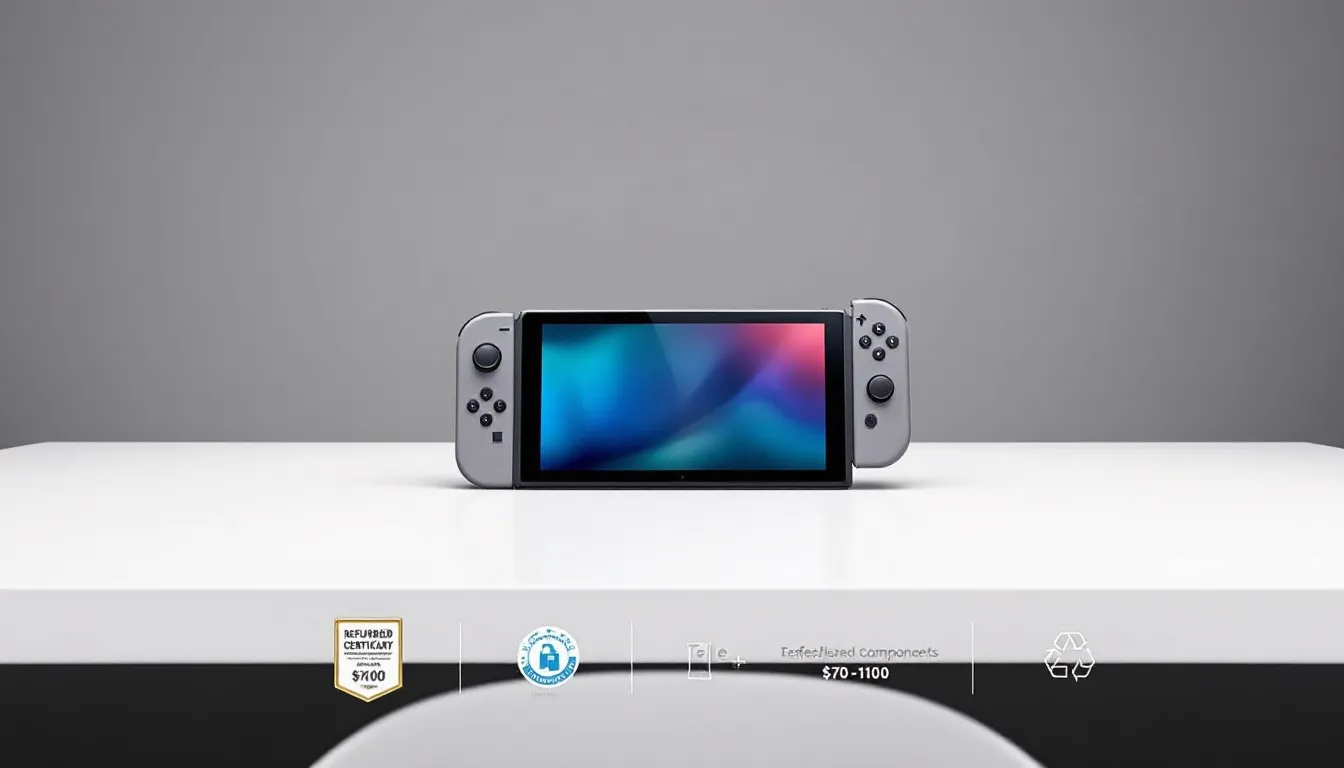
The Nintendo Switch OLED launched in late 2021, and by 2026, plenty of units are hitting the refurbished market. If you’ve been eyeing the Switch OLED but hesitated at the $349 price tag, refurbished options could cut that cost significantly, sometimes by 30-40%. But the question every savvy gamer asks is: are refurbished Switch OLED units worth the gamble, or should you spring for a new one? The answer depends on where you buy, what warranty you get, and how comfortable you are with a device that’s been through the system once already. This guide breaks down everything you need to know about refurbished Switch OLED models in 2026, from pricing and quality assurances to red flags you should watch for. Whether you’re a casual player looking to save cash or a competitive gamer who needs reliability, you’ll find the exact information you need to make a confident purchase decision.


Key Takeaways
- A refurbished Nintendo Switch OLED saves $70–$100 compared to the $349 retail price when purchased from reputable sellers like Nintendo’s official store, Amazon Renewed, or Best Buy.
- Official Nintendo refurbished units come with 1-year warranties, while third-party options typically offer 30–90 days of coverage, making warranty duration a critical factor in your purchasing decision.
- Refurbished Switch OLED devices undergo complete disassembly, component testing, and thorough cleaning before resale, ensuring performance is identical to new units if properly restored.
- Inspect your refurbished unit immediately upon arrival for screen defects, Joy-Con drift, battery health, and physical damage to ensure you can return it within the seller’s warranty window.
- Buy refurbished if you’re budget-conscious and trust the seller; buy new if you want pristine cosmetics, maximum peace of mind, or plan to keep the console for 5+ years.
What Is a Refurbished Nintendo Switch OLED?
A refurbished Nintendo Switch OLED is a unit that was originally sold new, used, returned, or had minor defects, then sent back to a manufacturer or certified refurbisher for inspection and repair. The device is cleaned, tested for functionality, and often has damaged components replaced before being resold at a lower price than new. The OLED screen, that gorgeous 7-inch organic display that replaced the original LCD, is the star feature of this model, and refurbished units should have fully functioning screens unless otherwise noted.
The key thing to understand is that “refurbished” doesn’t mean broken-and-fixed-up. It means the device went through a quality control process. Sometimes these are trade-ins from people who wanted a different color. Other times they’re units with dead pixels or worn Joy-Con sticks that got serviced.
The Refurbishment Process Explained
When a Switch OLED enters a refurbishment facility, it’s completely taken apart and inspected. Every component gets tested: the OLED screen, the processor, the wireless radios, the battery, and the Joy-Con controllers. Parts that don’t meet spec, like a screen with discoloration or a Joy-Con with drift issues, get replaced with new or equivalent parts.
The device is then cleaned thoroughly, reassembled, and tested again to make sure everything works. Some manufacturers also replace the casing if it’s visibly scratched or damaged. Finally, the unit is repackaged, sometimes with original packaging (official refurbs tend to do this) or in generic packaging (third-party refurbs often skip this step).
Official vs. Third-Party Refurbished Units
This distinction matters. Official Nintendo refurbished units go through Nintendo’s own certification process. They carry Nintendo’s refurbishment warranty, typically 90 days to 1 year depending on where you buy them. Nintendo is meticulous about their refurb process because it directly affects their brand reputation.
Third-party refurbished units come from retailers like Amazon Renewed, Best Buy’s refurbished section, or specialist gaming retailers. These follow industry-standard refurbishment but may not match Nintendo’s exact specifications. The warranty terms vary wildly, some offer 30 days, others offer a full year. The catch: if something goes wrong, you’re dealing with the retailer, not Nintendo directly.
For peace of mind, official Nintendo refurbished is the safer bet. But third-party units from reputable sellers can offer better discounts with comparable protection.
How Much Can You Save on a Refurbished Switch OLED?
Let’s talk numbers, because that’s likely why you’re reading this.
Price Comparison: New vs. Refurbished
As of March 2026, a brand-new Nintendo Switch OLED retails for $349 at most major retailers. That’s the base price. If you want the White model specifically or bundle it with a game, you’re paying list price or more.
Refurbished Switch OLED units typically land in these ranges:
- Official Nintendo Refurbished: $249–$279 (saves $70–$100)
- Amazon Renewed (Certified Refurbished): $245–$290 (savings vary by seller)
- Best Buy Refurbished: $249–$299 (usually comes with 15% off coupon eligibility)
- Warehouse Deals and specialized retailers: $200–$280 (wider variance)
That’s a real difference. A $70 savings on a $349 device is roughly 20% off, enough to fund a game or two, or bank the savings for accessories like a Pro Controller.
The thing is, price fluctuates. If Nintendo drops the MSRP on new units (unlikely, but possible), refurbished prices tend to follow downward. Conversely, if new stock runs low during the holiday season, refurbished units sometimes hold their value better because demand is higher.
Where to Find the Best Deals
Your best bets for deals are:
- Nintendo’s official refurbished store (direct from the source, best warranty)
- Amazon Renewed (competitive pricing, good return window)
- Best Buy Certified Refurbished (often includes additional Best Buy member perks)
- GameStop (fluctuates, but sometimes undercuts competitors on refurbished inventory)
- Local Facebook Marketplace or OfferUp (risky, no warranty, but sometimes you find steals)
Price doesn’t tell the whole story, though. A $200 refurbished unit from an unknown seller with a 14-day return window isn’t as good a deal as a $279 official Nintendo refurb with a 1-year warranty. Real savings account for warranty coverage and seller reliability.
Key Differences Between New and Refurbished Models
If you’re wavering between new and refurbished, here’s what actually changes.
Display Quality and Performance
This is crucial. The OLED screen is the whole reason people prefer the Switch OLED over the original LCD model. A refurbished unit should have a screen that’s indistinguishable from a new one, assuming it went through proper refurbishment.
Performance-wise, there’s zero difference. Both run the exact same processor (custom Nvidia chip), RAM, and storage. Game performance, frame rates, and handheld processing power are identical. The only performance difference you’d notice is if a refurbished unit had a defective battery or processor, but those would have been caught and replaced during refurbishment.
Here’s where it gets tricky: some refurbished units get new batteries installed as part of the process. A brand-new Switch OLED battery should last 4.5–9 hours depending on the game (intensive games like The Legend of Zelda: Tears of the Kingdom drain it faster). A used battery installed in a refurbished unit might have reduced capacity. Reputable refurbishers replace batteries, but check the listing or ask the seller.
Screen quality varies based on use and refurbishment. If the original owner had the display on max brightness all the time, the OLED pixels might have degraded slightly. A properly refurbished unit would flag this and replace the screen. But if you buy from a fly-by-night seller, you might end up with a screen that’s perfectly functional but slightly dimmer than factory standard.
Warranty and Support Coverage
This is where refurbished and new diverge significantly.
New Switch OLED: 1-year limited manufacturer’s warranty directly from Nintendo, valid in all regions (US, EU, etc.). That’s rock-solid coverage.
Official Nintendo Refurbished: 90 days to 1 year depending on where purchased. Nintendo often gives full 1-year warranties on refurbished units bought directly from them. Some third-party retailers offering official refurbs only provide 90 days, check the listing.
Third-Party Refurbished: Warranty varies from 30 days to 1 year, and it’s backed by the retailer, not Nintendo. Amazon Renewed typically offers 30 days for refurbished electronics. Best Buy’s refurbished warranty is 15 days standard but can be extended with their Geek Squad warranty service. GameStop offers 30-day refurbished warranties.
If a refurbished unit develops issues on day 5, you’re covered. If issues show up on day 120 with a 90-day warranty, you’re out of luck (unless you paid for an extended warranty). This is why warranty length matters more than you’d think.
Condition and Cosmetic Appearance
New units ship pristine. Refurbished units are the wild card here.
Official Nintendo refurbished units come in either original packaging or plain boxes. The device itself is cleaned and cosmetically restored, but you might notice minor scratches, scuffs, or signs of previous use if you inspect closely. Most people don’t care about this. If you’re opening it up and playing immediately, cosmetic flaws are invisible once the console’s docked or in your hands.
Third-party refurbished conditions vary wildly. Some Amazon Renewed listings specify “like new,” others say “good condition with visible wear.” Read the condition description carefully. If it says “physical damage,” ask what kind, cosmetic scuffs are fine, but cracks near the hinge or screen bezels are concerning because they can worsen over time.
Joy-Con controllers in refurbished units often show wear. Thumbsticks get the most use, and while refurbished units should have fresh sticks installed, older refurbs might not. Drift is the nightmare scenario: the analog stick registers movement even when you’re not touching it. If the refurbished listing doesn’t explicitly state new Joy-Con sticks, assume they’ve been cleaned but not replaced.
Bottom line: cosmetically, refurbished will look used. Functionally, a properly refurbished unit performs like new. Whether that trade-off is worth it depends on you.
Is a Refurbished Switch OLED Worth Buying?
The honest answer: it depends on your risk tolerance and budget.
Pros of Purchasing Refurbished
Cost savings are real. $70–$100 off the retail price adds up. For someone buying a Switch OLED as a secondary console or for a family member, that’s meaningful money. Recent gaming hardware reviews consistently note that refurbished gaming devices offer excellent value for the savings.
Environmental benefit. Buying refurbished extends the lifespan of electronics and reduces e-waste. If sustainability matters to you, this is a genuine upside.
Immediate availability. New Switch OLEDs sometimes go out of stock. Refurbished units are often more readily available because there’s a steady supply of returns and trade-ins.
Tested components. A refurbished unit has been disassembled and tested. In some ways, it’s been more thoroughly inspected than a new unit fresh off the factory line.
Minimal real-world performance difference. If you’re buying from a reputable seller, the console you get will play games identically to a new one. You won’t notice performance differences in frame rates, loading times, or anything else.
Potential Drawbacks to Consider
Shorter or conditional warranties. A 30-day or 90-day warranty is weaker than the 1-year protection on new units. If issues show up after the warranty expires, you’re on your own.
Cosmetic wear. You’re getting a used device. If you’re meticulous about keeping electronics pristine, the visible scratches or dings might bother you long-term.
Battery uncertainty. Depending on how heavily the previous owner used it, the battery might not last as long as factory spec. Some refurbishers replace batteries: others just restore them. This affects your handheld play time.
Limited recourse if something goes wrong. If a new Switch develops a defect on day 180, Nintendo backs you. If a third-party refurbished one does, you’re negotiating with the seller. Some sellers are great: others are obstructive.
Joy-Con drift risk. If the refurbished unit has original Joy-Con sticks that were just cleaned, they could develop drift within months. You’d be paying Nintendo’s $20–$40 per stick to fix it, potentially negating your savings.
Stock variability. You don’t know the exact refurbishment history. Some units might be refurbished because they had one minor issue: others might be from a return batch with multiple repairs. There’s more guesswork than with new.
Who Should Buy Refurbished, and Who Should Buy New
Buy Refurbished If:
You’re on a tight budget and the savings matter. You’re buying as a gift for someone and don’t mind if it shows minor cosmetic wear. You’re a secondary gamer who plays casually and doesn’t need maximum battery longevity. You trust the seller and are comfortable with a shorter warranty. You’re technically inclined and can troubleshoot if issues arise. You want a console right now and new units are out of stock. You care about environmental impact and are willing to accept some risk for a sustainable choice.
Buy New If:
You want maximum peace of mind and the full 1-year Nintendo warranty. You plan to keep the console for 5+ years and want the longest possible battery lifespan. You want pristine cosmetics and don’t want to see any signs of previous use. You’re a competitive gamer who needs absolute hardware reliability. You can comfortably afford the $349 asking price and the extra cost is negligible to you. You’re buying for a child and want zero unknowns. You prefer returning to a massive retailer (like Best Buy) over chasing refurbishment claims.
Honestly? Most gamers will be fine with refurbished from a reputable source. The Switch OLED is a mature, reliable product line by 2026. Major issues are rare. The real decider is warranty comfort and cosmetic tolerance.
Best Places to Buy a Refurbished Nintendo Switch OLED
Not all refurbished sellers are created equal. Here’s where to actually spend your money.
Official Nintendo Refurbished Store
Direct from Nintendo at store.nintendo.com, you’ll find officially refurbished Switch OLED units. Prices typically run $279–$299. You’re paying slightly more than third-party options, but you’re getting Nintendo’s certification directly. Warranty is typically 1 year from purchase (sometimes 90 days depending on current promotions).
Pros: Peace of mind, Nintendo-backed, original packaging, customer service is Nintendo-backed.
Cons: Limited color/model variety, usually more expensive than third-party refurbs, can go out of stock.
If you’re only buying once and want to sleep easy, this is the move.
Amazon, Best Buy, and Major Retailers
Amazon Renewed offers third-party refurbished Switch OLED units from various sellers. Prices range from $245–$290. You get Amazon’s A-to-Z guarantee (strong buyer protection) and can return within 30 days if you’re unhappy. The catch: warranty varies by seller, sometimes just 30 days, sometimes longer. Check the specific listing.
Best Buy Certified Refurbished units run $249–$299. Best Buy’s own quality assurance is solid, and their 15-day return window is straightforward. You can add Geek Squad protection for extended coverage, which bumps the price up but gives you better long-term protection. According to gaming news outlets like Eurogamer, Best Buy’s refurbished section is consistently reliable.
Target, Walmart, and other big-box retailers occasionally stock refurbished Switch OLED, but availability is sporadic. When they do have it, prices are competitive with Amazon and Best Buy.
Pros: Easy returns, familiar company, sometimes bundled with games or accessories.
Cons: Warranty varies, third-party seller ratings matter (on Amazon), customer service isn’t as specialized.
Specialized Gaming Retailers
GameStop has a refurbished section. Prices hover around $249–$289. They offer a standard 30-day return window and 30-day warranty. Pro tip: GameStop refurbished prices sometimes drop during sales events.
Decluttr and other second-market retailers also sell refurbished gaming hardware. These are hit-or-miss. Prices can be the cheapest ($200–$250), but warranty and return policies are often the starkest. Only buy from Decluttr if you’re comfortable with their 14-day return window.
Nintendo Life tracks inventory across retailers and often has guides on where to find deals, so checking there before purchasing is smart.
Pros: Sometimes cheapest prices, specialized knowledge if you chat with staff.
Cons: Weaker warranty protection, return windows can be very short, less buyer protection infrastructure.
My recommendation: if price is the main concern and you trust the seller, Amazon Renewed or Best Buy are your sweet spot. You get solid discounts, strong buyer protection, and easy returns. If you want the absolute safest option, buy from the official Nintendo store.
Protecting Your Purchase: Tips for Buying Refurbished
You’re about to drop $250+ on a used console. Here’s how to not get burned.
Verify Seller Credentials and Return Policies
Before adding to cart, check who you’re buying from. On Amazon, look at seller rating (aim for 95%+ positive feedback with at least 100+ reviews). On other platforms, Google the seller name + “complaints” and see what comes up.
Read the return policy word-for-word. “30 days” sounds fine until day 31 when you discover a problem. Some sellers allow returns only if the device is unopened, which defeats the purpose of testing it. Others offer 60 days, which is better. Know exactly what you’re walking into.
If buying from a smaller retailer, don’t be shy, email the seller’s support team with a question before buying. If they respond quickly and knowledgeably, that’s a good sign. If it takes 3 days or you get a generic copy-paste response, reconsider.
Check for Warranty Terms and Coverage Details
Read the warranty section three times. Look for:
- Duration: 30 days, 90 days, 1 year?
- Coverage: Does it cover physical damage, or just manufacturer defects? (This matters.)
- Exclusions: Some warranties explicitly exclude battery degradation or cosmetic damage.
- Process: If something breaks, do you mail it back? Do you get a replacement? A refund?
- Transferability: Can you transfer the warranty if you give it as a gift?
If the warranty section is vague, ask for clarification. A seller who can’t clearly explain coverage is a red flag.
Also check if the refurbished unit qualifies for an extended warranty. Best Buy lets you add Geek Squad protection. Some Amazon sellers offer coverage extensions. These cost $20–$50 but extend protection to 2+ years.
Inspect Your Unit Upon Arrival
When the package arrives, open it immediately (still within the return window). Don’t just assume it works and shelve it for later.
Do this checklist:
- Power it on. Make sure it boots. If it doesn’t, you’ve got a DOA (dead on arrival) unit, return it immediately.
- Check the screen. Look at solid colors (blue, red, white). Are there dead pixels (dark spots)? Discoloration? Burn-in? On an OLED, these are worth returning over.
- Test both Joy-Con. Move the sticks in all directions. Do they respond smoothly? Do they drift (register movement when untouched)? Press every button.
- Check battery. Play a game for 10 minutes. Note the battery % drop. If it’s draining extremely fast, the battery might be degraded.
- Inspect the body. Look for cracks, warping, or physical damage that wasn’t mentioned in the listing. Minor scratches and scuffs are normal for refurbished: major damage is not.
- Try the dock. Make sure the Switch connects and charges properly when docked.
- Test wireless. Connect to WiFi and run the connection test in settings.
If anything fails this check, initiate a return immediately. Don’t wait. Seller’s usually can’t argue with a unit that doesn’t power on or has dead pixels.
Document any issues with photos or video before returning. If a seller disputes your return, evidence helps.
Conclusion
A refurbished Nintendo Switch OLED in 2026 is a legitimate way to save $70–$100 while getting a fully functional gaming device. The key is buying from a reputable source, Nintendo’s official store, Amazon Renewed, or Best Buy, and understanding the warranty limits before you commit.
Refurbished units aren’t second-class. They’re tested, cleaned, and often have components replaced. You’re not getting broken hardware: you’re getting a used device that was professionally restored. The trade-off is cosmetic wear and a shorter warranty window, not performance or reliability.
If you’re budget-conscious, patient enough to test the unit upon arrival, and comfortable with a 1-year (or less) warranty, refurbished is the smart play. If you need absolute peace of mind and can afford the extra $100, new is worth it. Either way, gaming reviewers and hobbyists agree that the Switch OLED itself is worth owning, whether refurbished or new is your call.