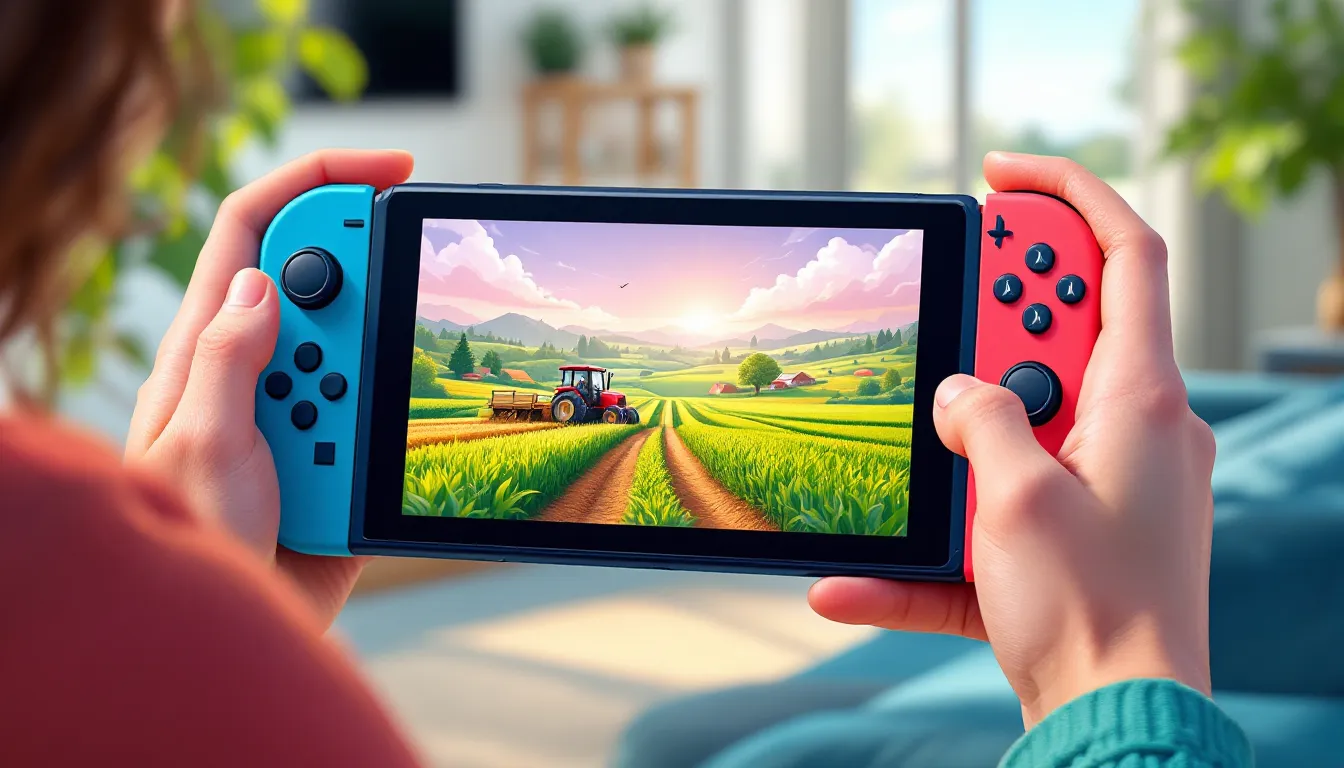
Farming Simulator on Nintendo Switch has quietly become one of the most engaging titles for players looking to unwind with some genuine farm management. Whether you’re tending crops between competitive gaming sessions or diving deep into livestock management as your main hobby, the Switch version delivers a surprisingly complete farming experience. The beauty of Farming Simulator on the portable console lies in its accessibility, you can manage your virtual acres from the couch, on a commute, or during a coffee break. This guide covers everything you need to know in 2026, from getting started as a complete newcomer to optimizing your farm like a seasoned pro.


Key Takeaways
- Farming Simulator on Nintendo Switch delivers a complete farm management experience with accessibility that lets you play anywhere, from your couch to on-the-go.
- Farming Simulator 25 is the current flagship title with improved graphics and expanded equipment rosters, while earlier versions like FS22 and FS23 remain solid alternatives for new players.
- Master crop rotation, seasonal timing, and diversified income streams—including livestock and contracts—to maximize farm profitability and long-term stability.
- Use the Pro Controller for comfortable extended play sessions and customize difficulty settings to match your playstyle, from beginner helpers to hardcore modes with volatile economies.
- Split-screen and online co-op modes transform Farming Simulator into a social experience, while multiplayer gameplay makes repetitive tasks feel shorter and more rewarding with friends.
- Farming Simulator on Switch runs stably at 30fps with acceptable graphics, though storage management and awareness of performance dips during intensive scenes ensures smooth gameplay.
What Is Farming Simulator And Why It’s Perfect For Nintendo Switch
Game Overview And Core Mechanics
Farming Simulator is a series built entirely around the mechanics of real agricultural work. You purchase land, invest in equipment, plant crops, manage livestock, and watch your farm grow, or crash if you’re careless with money. The core loop is straightforward: seed fields in spring, maintain them through summer, harvest in fall, and handle winter preparation. But beneath that simplicity lies surprising depth. Equipment degradation, fuel consumption, fertilizer types, crop rotation mechanics, and seasonal weather all factor into whether your farm thrives or struggles.
The game doesn’t force you into a single playstyle. You can run a purely crop-focused operation, jump into livestock exclusively, or blend everything together. Vehicles handle differently based on weight, terrain, and weather conditions. Mastering the timing of planting and harvesting directly impacts yield quality and profit margins. New players often overlook these mechanics, assuming Farming Simulator is just about clicking buttons, but the devil’s in the details.
Why Nintendo Switch Offers The Best Portable Experience
The Nintendo Switch is uniquely suited for Farming Simulator. Unlike PC, where you’re locked to a desk, or console versions that require a TV setup, the Switch lets you manage your farm anywhere. The hybrid nature means you can dock it for longer play sessions, then undock for handheld mode when you want something more relaxed. Joy-Con controls work reasonably well after you’ve adjusted to them, and the Pro Controller option eliminates any comfort complaints.
Portability also changes how you approach the game psychologically. Farming Simulator on Switch encourages the kind of “one more season” mentality that makes for perfect bite-sized gaming. You’re not forced into marathon sessions: instead, you can play 15-minute stretches and still feel productive. Battery life on the OLED model is solid for longer sessions, and the screen size, even in handheld mode, remains clear enough to see field details without squinting.
Farming Simulator Titles Available On Nintendo Switch
Farming Simulator 22 And 23: Comparison And Features
Farming Simulator 22 arrived on Switch in late 2021 and remains a robust entry point. It features 400+ vehicles and implements from real manufacturers, 100+ crop types, and fully destructible environments. The game runs at a stable frame rate on Switch hardware and includes both single-player and multiplayer modes. Equipment wear is significant, your harvester won’t last forever, and maintenance becomes a resource management puzzle.
Farming Simulator 23, released in late 2022, builds on the foundation with incremental but meaningful additions. The crop variety expanded, new equipment manufacturers joined the roster, and several quality-of-life improvements landed. Performance optimizations made the Switch version slightly more stable. But, the core gameplay loop remains unchanged, if you’ve played 22, you’ll recognize 23 immediately.
The practical difference for Switch players is minimal. Both versions deliver the farming experience, though 23 has a slightly larger equipment library and modestly improved Switch performance. If you already own 22 and are happy with it, 23 doesn’t demand an upgrade. New players should grab 23 since it’s the current standard, but don’t expect revolutionary changes.
Latest Releases And Future Versions
Farming Simulator 25 launched in late 2024 and is now the flagship title on Switch. This version brings significant graphical improvements and expanded equipment rosters, particularly valuable if you’re focused on specific manufacturers or machinery types. The Switch version of FS25 runs at dynamic resolution to maintain stable frame rates, a smart compromise that keeps the experience smooth.
Future updates and patches for Farming Simulator 25 are already in the pipeline. Publisher Giants Software typically releases seasonal content, balance adjustments, and new equipment packs post-launch. On Switch, these updates roll out slightly behind PC versions due to certification processes, but they do arrive. Keep an eye on the eShop for notification of new equipment DLC or free updates that add crops, vehicles, or farm buildings. The game has a solid development roadmap extending into 2026, so investing your time in FS25 now isn’t a dead-end choice.
Getting Started: Beginner Tips And Essential Controls
Mastering The Control Scheme On Joy-Con And Pro Controller
The Switch version maps farming controls to both Joy-Con and Pro Controller, and honestly, the Pro Controller is the superior choice if you have one. With Joy-Con, triggers feel cramped for extended sessions, and the smaller grip angle causes hand fatigue during long farm management phases. The Pro Controller’s ergonomics win decisively.
Core controls break down like this:
- Analog sticks: Vehicle steering and camera movement
- Triggers (LT/RT): Accelerate and brake: also used for equipment operation
- Bumpers (LB/RB): Shift gears and activate carry out controls
- A/B/X/Y buttons: Quick actions like mounting vehicles, opening menus, and equipment toggles
- Touchscreen (handheld): Menu navigation feels smoother than button-based menus
Take 30 minutes in the game’s tutorial to internalize these mappings. The muscle memory matters when you’re coordinating a harvester during rain or backing a trailer into a tight garage space. Control sensitivity settings exist in the options menu, dial these to your preference early. Default settings work, but personalizing them prevents frustration.
Your First Farm: Equipment Selection And Resource Management
Your first decision in Farming Simulator is choosing a starting farm. The game provides a tutorial scenario and several premade farm layouts. Pick the tutorial first, it teaches you the absolute basics without punishing financial mistakes.
Equipment selection determines your early-game trajectory. You start with a budget (typically around 50,000-100,000 currency units, depending on difficulty). Don’t blow this on a massive tractor and the biggest harvester available. Instead, invest in:
- A mid-tier tractor (40-50 horsepower): Enough to handle small fields without bankrupting you
- A basic plow or cultivator: For field preparation
- A planter: Essential for crops
- A grain cart or baler: Depending on your focus (crops vs. hay)
Resist the urge to buy everything at once. You’ll earn money through harvesting, and reinvestment comes naturally. Early game teaches patience, upgrading equipment gradually is better than overcommitting your budget and struggling to maintain fields.
Resource management revolves around fuel, fertilizer, and money. Fuel drains based on vehicle usage and carry out demand. Fertilizer boosts crop yields but costs money: apply it strategically to high-value crops or fields you’re serious about. Money flows from selling harvested goods, so focus on completing harvest contracts early. These guaranteed sales jumpstart your economy without relying on volatile crop prices.
Advanced Strategies For Maximizing Profits And Expansion
Crop Rotation, Seasonality, And Optimal Farm Planning
Once you’ve stabilized your farm, profitability hinges on understanding crop rotation and seasonal timing. Farming Simulator models real agricultural cycles: different crops thrive in different seasons, and rotating crops prevents soil depletion.
High-profit crops typically include:
- Wheat and barley (steady income, short growing season)
- Canola (valuable oil output)
- Grapes (excellent margins if you have processing equipment)
- Corn (high yield, moderate price)
Low-profit crops like hay and straw exist primarily as livestock feed or fill crops when rotating land. Planting strategy matters. Don’t plant everything simultaneously, stagger your planting across weeks so harvest demands spread out. A harvester handling one field while another ripens is infinitely better than two fields needing simultaneous attention.
Seasonality affects crop health and yield. Planting in the wrong season tanks production. Pay attention to the in-game calendar and follow regional crop guidelines. Spring planting works for most crops, but some (like winter wheat) require fall planting for proper growth. The game provides tooltips, but trial and error teaches these lessons quickly.
Field expansion strategy: Before buying new land, ensure your current fields generate consistent profit. Overextending leads to missed harvests and equipment breakdowns you can’t afford to fix. Expand methodically, add one or two fields per in-game year, not five simultaneously.
Livestock Management And Supplementary Income Streams
Livestock adds another income dimension and diversifies your farm’s revenue. Unlike crops tied to seasonal cycles, livestock generate consistent output, but demand infrastructure investments first.
Core livestock operations:
- Chickens: Lowest investment, fastest payoff, smallest output per unit
- Cows: Moderate investment, milk production once daily, requires grass or hay feeding
- Pigs: High profitability, but demanding feeding schedules
- Sheep: Mid-tier investment, wool production, lower maintenance than other livestock
Each livestock type needs feeding infrastructure and regular care. You’ll haul feed daily or set up automatic feeding systems if equipment allows. The upfront infrastructure cost is steep, a barn, feeding stations, and storage facilities add up. But once established, livestock provides passive income that’s less weather-dependent than crops.
Supplementary income streams (beyond crops and livestock) include:
- Contracts: Harvest jobs for NPCs pay guaranteed cash but lock you into their timeline
- Processing: Selling processed goods (flour from wheat, oil from canola) yields higher margins than raw crops
- Custom work: Some farm setups let you contract your equipment to other farms for hire
Diverse income means a bad harvest season doesn’t tank your farm. Livestock covers crop shortfalls: contracts pay when prices drop. Balance all three income types for maximum stability.
Multiplayer Modes And Cooperative Gameplay On Switch
Split-Screen And Online Co-Op Features
Farming Simulator on Switch supports both split-screen local co-op and online multiplayer. Split-screen mode lets two players work the same farm from one console, one player operating a tractor while another manages equipment. This works surprisingly well for shorter sessions but gets cramped on a standard Switch screen. The OLED model’s larger display makes split-screen more comfortable.
Online co-op connects players remotely, letting friends manage a shared farm asynchronously or simultaneously. You can play with up to multiple friends (exact player limits depend on the version), coordinating harvests or maintaining separate zones of a larger farm. Online mode doesn’t require a second copy of the game per Switch, each player needs their own console and account, but purchasing the game once on an account lets other profile users on that Switch play it.
Latency occasionally causes vehicle desyncing in online sessions, but it’s minor, positioning occasionally lags by a second or two, but the game corrects itself quickly. It’s noticeable but not game-breaking for casual co-op.
Building A Farming Community With Friends
Co-op transforms Farming Simulator from a solo experience into something more social. Coordinating a harvest with a friend, one managing the combine while another handles grain transport, creates organic teamwork. Voice chat through Switch’s app (or Discord, if you prefer) keeps communication flowing.
The key to enjoyable multiplayer is establishing shared goals. Are you building the biggest farm possible? Focusing on specific crops? Trying to hit a wealth milestone? Clear objectives prevent aimless wandering and ensure both players feel invested. Some groups rotate who makes purchasing decisions or control the main farm account, ensuring agency is shared.
Multiplayer also mitigates tedium. Solo farming’s repetitive cycles feel shorter when a friend is laughing about an equipment malfunction or celebrating a harvest paycheck. The game encourages cooperation naturally, one player struggles alone during harvest season, but two players breeze through it. This asymmetric difficulty is by design and makes multiplayer feel necessary rather than optional.
Mods, Customization, And Extending Your Gameplay
Available Customization Options On Nintendo Switch
Unlike the PC version’s extensive modding ecosystem, the Switch version offers limited customization. You can’t install third-party mods, but the game includes cosmetic options: farm building colors, equipment paint jobs, and UI themes. These feel superficial compared to PC modding but add personalization.
Equipment tuning exists within vanilla settings. You can adjust tire types (for different terrain performance), paint colors, and certain mechanical parameters. If you’re building a realistic farm themed around specific manufacturers, these options let you assemble authentic-looking equipment lineups.
Difficulty settings provide meaningful customization. Adjust crop prices, equipment costs, fuel consumption rates, and financial penalties for vehicle damage. New players should enable “helper mode,” which automates some tasks like seeding and fertilizing, letting you focus on harvesting and equipment management. Advanced players disable helpers entirely, managing every aspect manually for maximum challenge.
Limitations Compared To PC And Workarounds
PC players have access to thousands of community mods: new equipment, crops, farms, gameplay mechanics, and visual overhauls. Switch players don’t get this. It’s a significant limitation, PC versions stay fresher longer because modders continually add content. Switch versions are locked to what publishers release officially.
Workarounds exist, though they’re workarounds and nothing more. You can’t magically enable PC mods on Switch, but you can:
- Buy equipment DLC Giants Software releases paid equipment packs post-launch, adding new vehicles and manufacturers. These aren’t free mods, but they’re official additions.
- Use cosmetic customization to create unique farm aesthetics within the existing toolset
- Engage with seasonal updates which occasionally introduce new crops, buildings, or farm maps
- Create community challenges with friends (highest profit after 10 seasons, etc.) to extend engagement without new content
If modding is essential to your enjoyment, PC is the correct platform. Switch thrives on what’s built-in, and what’s built-in is substantial. Just acknowledge the ceiling exists before committing hundreds of hours expecting PC-equivalent customization.
Performance, Graphics, And Technical Considerations
Frame Rates, Resolution, And Optimization On Switch Hardware
Farming Simulator 25 on Switch targets 1080p docked and 720p handheld at 30fps. This is a locked frame rate, the developers prioritize stability over raw performance. For a game about managing farm operations rather than split-second reflexes, 30fps is acceptable. Handheld mode’s 720p is crisp enough that field details remain visible: you won’t squint reading equipment labels or spotting weed growth.
Graphics are simplified compared to PC versions. Grass isn’t rendered as densely, shadows are less detailed, and distant fields pop more noticeably. But this scaling doesn’t ruin the experience, the art direction compensates, and the pastoral aesthetic reads clearly even at lower fidelity. On the OLED screen especially, the presentation holds up.
Performance occasionally dips during intensive scenes: loading large farms, rendering multiple vehicles simultaneously, or during heavy weather effects. Frame rate occasionally drops to the high-20s, but sustained drops below 30fps are rare. The game rarely outright stutters or freezes, though loading times are longer than PC versions (expect 15-30 second loads entering new areas).
The Switch version doesn’t support high refresh rates, so don’t expect 60fps. If variable refresh rate or ultra-smooth gameplay is important, PC is necessary. For Switch, what you get is stable, adequate, and suitable for the game’s pace.
Storage Requirements And Installation Tips
Farming Simulator 25 requires approximately 6-7GB of storage space when fully installed with all default files. This is substantial on a Switch with limited storage. If you own only the 32GB base model, you’ll need a microSD card, a 128GB or 256GB card is recommended if you plan to install multiple large games.
Installation tips:
- Install the game to your microSD card, not internal storage, to preserve space for system updates
- Don’t delete games to make room: instead, archive titles you’re temporarily done with (takes seconds to reinstall)
- Check for day-one patches after purchase, these sometimes add significant content or fixes
- Seasonal updates and equipment DLC download separately, so budget additional storage if buying cosmetic or equipment packs
Once installed, the game launches quickly from docked or handheld mode. Game performance isn’t affected by where you install it (microSD vs. internal), so storage location is just about capacity management. You can have How to Optimize Your by ensuring your console has adequate storage and isn’t running too many background processes.
Common Challenges And Troubleshooting Solutions
Bugs, Crashes, And Performance Issues
Farming Simulator 25 on Switch is generally stable, but like any complex game, occasional issues occur. Common problems include:
Multiplayer desyncing: Online co-op sometimes causes vehicle positions to lag or desynchronize temporarily. Fix: Rejoin the session or save the game and reload, the sync re-establishes automatically after a few seconds.
Freezing during saves: If the game freezes when you trigger a save (manual or auto-save), it’s usually a storage write error. Ensure you have at least 1-2GB of free storage: full or nearly-full microSD cards cause save failures. Clear space and retry.
Audio cutting out: Rarely, game audio drops entirely while effects or music still play. Restart the game to restore it.
Physics glitches: Vehicles occasionally clip through terrain or buildings. This isn’t breakage, it’s the game’s physics occasionally misbehaving on Switch’s hardware. Save immediately if this happens, reload, and avoid that spot for now. It usually resolves in the next update.
Major crashes are uncommon. If the game crashes to the Switch home screen frequently, try:
- Delete the game’s saved data cache (not your save file, just the cache) from Switch settings
- Reboot the console entirely
- Check if a patch is available and install it
- As a last resort, uninstall and reinstall the game
Balancing Difficulty Settings For Your Playstyle
Farming Simulator’s difficulty isn’t binary, it’s granular. Customize every aspect to match your tolerance:
For absolute beginners:
- Enable vehicle helpers (automates seeding, fertilizing, harvesting)
- Set crop prices high and equipment costs low
- Disable crop disease and pest infestations
- Set equipment wear slow
- Begin with tutorial farm with plenty of cash
For intermediate players:
- Disable helpers: you manage equipment manually
- Set prices and costs to realistic values
- Enable crop disease (adds challenge)
- Equipment wear at normal speed
- Start with moderate starting capital
For hardcore players:
- All helpers disabled
- Volatile economy (prices fluctuate wildly)
- Fast equipment degradation
- Disease, pests, and weather damage active
- Minimal starting capital
- Hire workers costs real money (you can’t just auto-complete tasks)
You don’t need to commit to one difficulty forever. Save multiple farm files at different difficulty levels. Playing a hardcore file teaches you the game’s depth: playing a relaxed file lets you experiment without financial stress. Most players enjoy switching between high-challenge and chill modes depending on mood.
Conclusion
Farming Simulator on Nintendo Switch occupies a unique space in gaming: it’s deep enough for dedicated players chasing optimization, yet accessible enough for casual farmers wanting a peaceful experience. The Switch’s portability transforms it from a niche PC sim into something you can actually live with, playing during commutes or idle moments without needing a dedicated setup.
The fundamentals are solid. Whether you’re starting with Farming Simulator 25 or exploring earlier versions, the core gameplay loop of planting, harvesting, expanding, and optimizing never gets old. Multiplayer modes turn solo farming into social events. Performance is acceptable, and the game runs stable enough that technical hiccups don’t derail progress.
Growth happens naturally. You won’t master everything in 10 hours. Crop rotation, equipment management, seasonal timing, and profitability optimization reveal themselves gradually. Your first profitable harvest feels earned. Your first livestock operation feels like a genuine expansion. This progression, unrushed and achievable, is what makes Farming Simulator compelling across 50, 100, or 200+ hours.
If you’re on the fence, try renting the game or watching gameplay footage from GameSpot or Nintendo Life to confirm it appeals to you. Not every player clicks with farming sims, some find the repetition tedious, others want faster-paced action. But if you’ve ever enjoyed city builders, tycoons, or management games, Farming Simulator deserves a shot. The Switch version ensures you can take that farm with you anywhere, turning a niche hobby into an always-available escape.