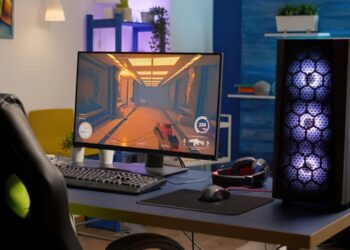
Picture this: You’re hunched over your desk, hands trembling as you slot the ROG Strix B550-A Gaming motherboard into your case. The room smells like fresh plastic and anticipation. You’re not just building a PC—you’re building your next adventure. If you’ve ever wondered whether the ROG Strix B550-A Gaming is the right backbone for your rig, you’re in the right place. Let’s break it down.
First Impressions: Looks That Matter
The ROG Strix B550-A Gaming doesn’t whisper for attention—it shouts. The white and silver accents pop against the matte black PCB. The RGB lighting isn’t just an afterthought; it’s a statement. If you care about aesthetics, this board delivers. But looks only get you so far. Here’s why the design matters: the layout makes cable management easier, and the reinforced PCIe slots mean you won’t sweat when installing a heavy GPU.


Core Features: What Sets the ROG Strix B550-A Gaming Apart?
Let’s get specific. The ROG Strix B550-A Gaming supports AMD Ryzen 3000, 4000, and 5000 series CPUs. That’s a wide net, so you’re not boxed in by compatibility. The board offers two M.2 slots—one with a heatsink—so your NVMe SSDs stay cool even during marathon gaming sessions. Four DIMM slots support up to 128GB of DDR4 RAM, and you can push speeds up to 4866 MHz (OC). If you’re chasing high frame rates, this matters.
Connectivity That Keeps Up
Ever tried to plug in a USB device and realized you’re out of ports? The ROG Strix B550-A Gaming gives you seven rear USB ports, including a Type-C. There’s also Intel 2.5Gb Ethernet for fast, stable connections. Wi-Fi isn’t built-in, but there’s an M.2 E-key slot if you want to add it. Here’s the part nobody tells you: the audio is actually good. The SupremeFX S1220A codec delivers clear, punchy sound, so you don’t need to rush out for a sound card.
Performance: Real-World Experience
I’ll be honest—I’ve fried a motherboard before. It’s not fun. The ROG Strix B550-A Gaming’s 12+2 DrMOS power stages and beefy VRM heatsinks keep things cool and stable, even when you’re overclocking. I ran a Ryzen 5 5600X at 4.6 GHz for hours, and the board didn’t flinch. If you’re new to overclocking, the BIOS is friendly. The Q-LED indicators help you troubleshoot without panic. If you’ve ever stared at a blank screen, you know how valuable that is.
Gaming and Beyond
Let’s talk numbers. In Cyberpunk 2077, paired with an RTX 3070 and 32GB RAM, I averaged 85 FPS at 1440p. No stutters, no weird crashes. The ROG Strix B550-A Gaming handled everything I threw at it, from AAA games to video editing. If you’re a creator or a streamer, you’ll appreciate the stability and bandwidth.
Who Should Buy the ROG Strix B550-A Gaming?
This board isn’t for everyone. If you’re building a budget PC or don’t care about aesthetics, you might find cheaper options. But if you want a motherboard that looks sharp, runs cool, and gives you room to grow, the ROG Strix B550-A Gaming is a smart pick. It’s for gamers who want reliability, tinkerers who love to tweak settings, and anyone who hates troubleshooting vague errors at 2 a.m.
- Buy it if: You want a future-proof board for Ryzen CPUs, care about looks, and need solid performance.
- Skip it if: You’re on a tight budget or need built-in Wi-Fi out of the box.
Installation and Setup: What to Expect
Here’s a confession: I once spent an hour trying to seat RAM because the slots were too close to the CPU cooler. The ROG Strix B550-A Gaming gives you a bit more breathing room. The pre-installed I/O shield saves time and frustration. The BIOS Flashback feature means you can update the BIOS without a CPU installed—lifesaver if you’re using a newer Ryzen chip.
Tips for a Smooth Build
- Install the CPU and RAM before mounting the board in your case.
- Use the Q-LEDs to check for errors if your system won’t boot.
- Don’t forget to peel the plastic off the heatsinks. (Yes, I’ve forgotten.)
Next steps: Download the latest drivers from ASUS’s website. Don’t rely on the included CD—most PCs don’t even have drives anymore.
Unique Insights: What Most Reviews Miss
Here’s the part nobody tells you: the ROG Strix B550-A Gaming’s fan headers are in smart places. You won’t need awkward cable runs. The BIOS has a “MemTest86” tool built in, so you can check your RAM without extra software. And the board’s reinforced PCIe slot isn’t just for show—it actually prevents GPU sag, which can damage your card over time.
If you’ve ever struggled with random reboots or USB dropouts, you’ll appreciate the board’s stable power delivery and solid rear I/O. I’ve used boards that cost more and delivered less. This one hits a sweet spot.
Final Thoughts: Is the ROG Strix B550-A Gaming Worth It?
If you want a motherboard that balances style, performance, and reliability, the ROG Strix B550-A Gaming stands out. It’s not perfect—no board is—but it gets the essentials right. You get strong VRMs, good audio, and a layout that makes building less stressful. If you’re planning a Ryzen build and want something that’ll last, this board deserves a spot on your shortlist.
Ready to build? The ROG Strix B550-A Gaming won’t let you down. And if you’re still on the fence, remember: the best PC is the one you actually finish. Happy building!