When a quest or mission will not progress, the player loses momentum and time. This guide explains, step by step, how to locate the exact stuck point: which objective is active, which in‑game conditions remain unmet, and whether files or mods interfere. It targets PC, console, and mobile players who want a quick diagnosis and reliable fixes without guessing. The walkthrough emphasizes reproducible checks, safe recovery tactics, and low-risk technical steps to restore progression.
Key Takeaways
- Start troubleshooting a stalled quest by carefully reading the active objective in the quest log to pinpoint where progression halted.
- Verify required quest items and flags in your inventory and storage, as missing or duplicate items can block quest progress.
- Reproduce the stuck moment by reloading an earlier save and repeating recent steps to identify exactly when the quest stops progressing.
- Use quick in-game actions like fast-travel, unequipping items, or switching quests to refresh objectives and trigger stuck quest conditions.
- Address common causes such as NPC spawn issues, lost items, or prerequisite quest completion by using safe recovery methods like area reloads or quest retakes.
- If in-game fixes fail, check for corrupted save files or conflicting mods, verifying game files and testing with disabled mods to restore smooth quest progression.
How To Quickly Diagnose Where A Quest Is Stuck
Fact first: the quest log and its active objective reveal where progression stopped. Start there and work outward.


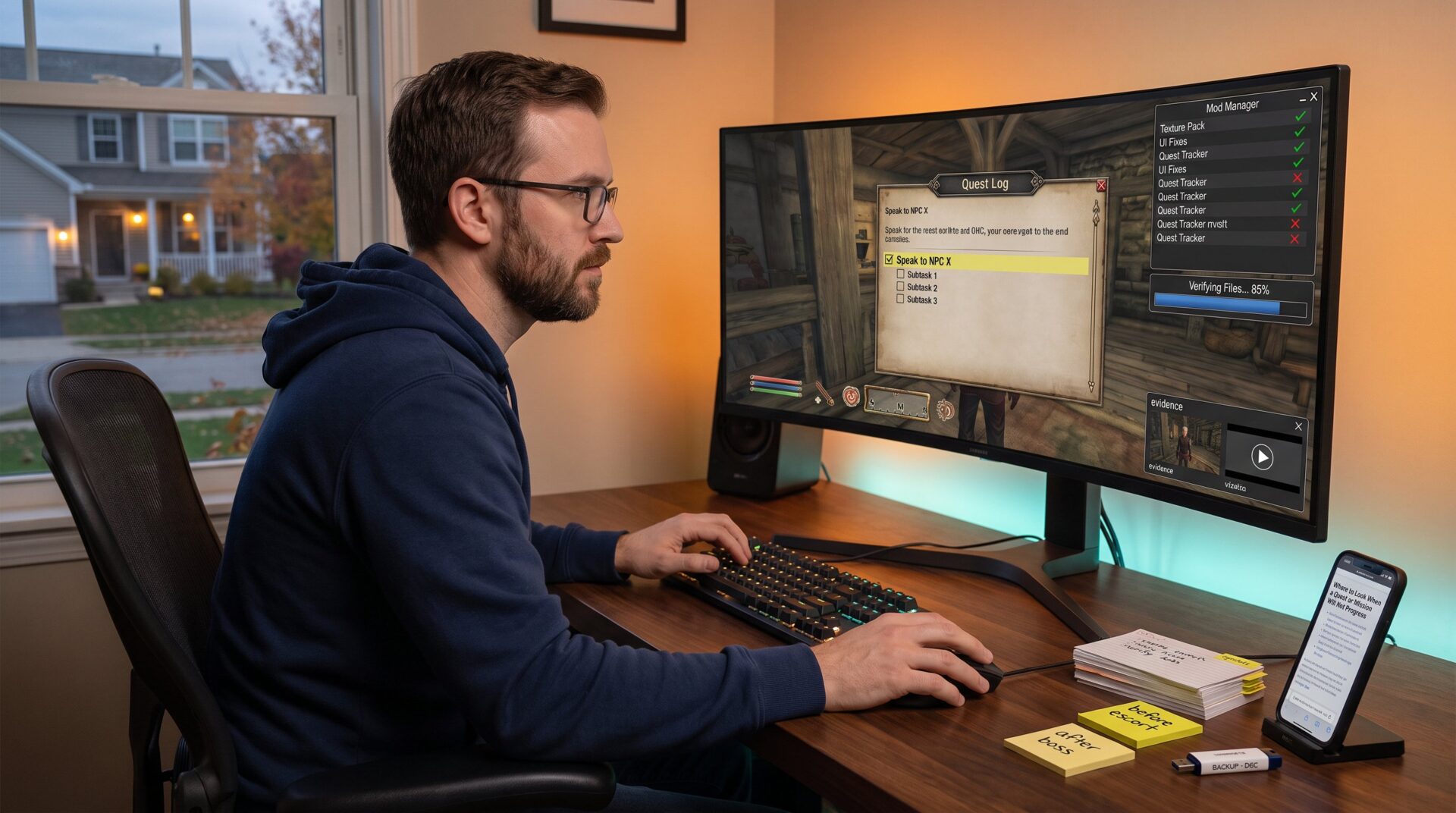
Open the quest or mission log and read the active step exactly. If the log says “speak to NPC X,” that is the single condition to verify. If it lists multiple subtasks, treat each as a separate check (item, location, kill count, dialogue flag). Write down the precise wording: many engines change completion when a specific flag flips, not when a visible event occurs.
Confirm inventory and flags next. The player should check for required quest items, keycards, or unique tools in the backpack and equipped slots. Some games hide items in quest-specific containers: search vendor inventories and storage chests if the log claims an item is “in inventory.” If the item is present but the objective won’t clear, note the exact item name, modified or duplicate items can fail to trigger a flag.
Reproduce the failure by loading a save a few minutes earlier. The player should repeat the last successful step and watch for the moment the objective stops changing. This isolates whether the bug appears immediately after an action (e.g., talking to an NPC) or after leaving the cell/area.
Use objective markers and map tools to cross‑check location goals. If the marker points to a large zone, the player should walk the perimeter and trigger every subzone. Some titles require the player to stand on a specific tile or enter a building interior to flip the flag.
Quick tests to run (under five minutes each):
- Fast‑travel away and return to force NPC or script respawn.
- Unequip and re-equip the quest item, then approach the target.
- Switch the active quest (if the game allows) and switch back to refresh the tracker.
If nothing changes, capture a screenshot or short clip of the quest log and the in‑game moment. This evidence helps when reporting the bug or following community fixes. Practical resources and curated walkthroughs can help identify hidden conditions: players can find them in the site’s compilation of walkthrough resources, such as the game guides hub.
Common In-Game Causes And How To Resolve Them
Fact first: most stuck quests are caused by unmet in‑game conditions, misplaced objects, or NPC script failures. Tackling these typical culprits usually restores progress.
NPC problems: an NPC failing to spawn or refusing to move is common. The player should leave the area for several minutes or fast‑travel far enough to force an AI respawn. If the NPC still doesn’t appear, reload a previous save just before the NPC was needed. In games with multi‑stage NPC behavior, timing matters: the player who speaks to the wrong NPC at the wrong time can lock a sequence. A practical example: an escort who doesn’t follow will often reset after a zone reload.
Objective items and containers: lost or bugged items can block completion. The player should search all likely containers and vendor inventories. If the game supports abandoning and retaking the quest, that can repopulate missing items. When safe to do so, the player should transfer suspicious duplicate items to a chest and keep only the canonical version.
Order conflicts and prerequisites: some missions require earlier quests to be fully completed or specific dialogue choices to be made. The player should check the quest log for prerequisites and complete them first. If multiple quests alter the same world state, finishing one may prevent another from progressing until a later patch. When a quest mentions an NPC who later dies during another mission, players should avoid overlapping storyline steps.
Puzzle and trigger issues: puzzles or environmental triggers sometimes need exact conditions, light levels, time of day, or companion presence. The player should replicate the original conditions (time, weather, companion on/off) before attempting the step again.
When to consult external walkthroughs: if the objective seems correct but progress is still blocked, the player benefits from targeted walkthroughs for that quest. For example, specific puzzle solutions or marker behavior are covered in specialty guides for popular titles and can reveal hidden steps players commonly miss. For location and marker reading basics, the site offers a short primer on map and marker usage in games via the map basics guide.
If the cause remains elusive after these checks, collect exact error conditions (NPC name, item ID, save timestamp) before moving to technical fixes.
Technical, Save-File, And Mod-Related Fixes
Fact first: corrupted saves or conflicting mods account for many persistent, non‑reproducible quest breaks. Technical steps can recover progression with minimal data loss.
Verify game files before deeper recovery. Using Steam, Epic, or console tools to verify or repair game files can fix missing script or asset problems. The player should then load a save from before the issue and test. If the game’s platform shows a patched update recently, installing that patch before other steps often solves script fixes.
Corrupted quest data: some games keep separate quest state files (example: QuestDatabase.json). If those files are malformed, restoring a clean copy from a fresh save can reset the corrupted entry while preserving most progress. The player should back up all save folders before replacing any files. Note exact file paths and timestamps so the player can restore the original if needed.
Mod conflicts: mods that alter scripts, spawn rates, or quest logic can break progression, especially after updates. The safe approach is to revert to the load order used when the save was created, or to disable suspect mods and test in a controlled save. If disabling is not feasible, the player should start a short new save with the same mod set and see if the quest completes there. If it does, the issue is likely save-specific corruption.
Community patches and tools: mod communities often publish hotfixes for broken quests. The player should read mod changelogs, and when applying a community fix, use a clean save to avoid transferring corruption. For console players without mod access, wait for official patches or try manual workarounds like abandoning and retaking quests where supported.
When to use external references: documented cases of specific quest bugs and their remedies can guide recovery. For example, known quest failures in high‑profile releases sometimes have step‑by‑step fixes in specialist coverage: an established publication article explains how save‑reload helps in similar high‑profile quest issues and supports the save-based recovery approach used here. See a detailed example on quest recovery in mainstream coverage via a reputable report on quest fixes to compare methods.
Finally, keep backups and incremental saves. The player who saves every 10–20 minutes and stamps saves with short notes (“before escort”, “after boss”) reduces the chance of losing more than 10–30 minutes when recovery is needed.
Conclusion
Stuck quests typically stem from unmet conditions, NPC or item script failures, corrupted save data, or mod conflicts. By checking the active objective, reproducing the stuck moment, and then applying in‑game and technical fixes in order, players usually recover progression with minimal loss. Thoughtful save hygiene and targeted use of walkthroughs and community fixes make recovery faster and less risky.